🚀 Installation & Activation
📦Installation Steps
Download the plugin
Go to your customer account or click the link in your confirmation email to download the ComptaFlow-UK-by-MeeTempo.zip file.
Install on WordPress
In your WordPress admin: Plugins → Add New → Upload Plugin. Select the .zip file and click "Install Now".
Activate the plugin
Once installed, click "Activate Plugin". A new "ComptaFlow UK by MeeTempo" menu appears in your dashboard.
Enter your licence key
Go to ComptaFlow UK by MeeTempo → 🔑 Licence, paste your licence key (format: CFUK-XXXX-XXXX-XXXX-XXXX) and click "Activate".
✅ You're all set!
Your plan is activated and all features are unlocked. You can now configure your business details.
⚙️ Initial Configuration
🏢Business Settings
Before you start entering data, configure your business information:
| Setting | Description | Required |
|---|---|---|
| Business Name | Legal name of your business | ✅ Yes |
| Company Number | Companies House registration number | ✅ Yes (Ltd only) |
| Business Type | Sole Trader, Ltd Company, Partnership, etc. | ✅ Yes |
| Tax Regime | Self Assessment or Corporation Tax | ✅ Yes |
| VAT Scheme | Not registered, Standard, Flat Rate, Cash Accounting | ✅ Yes |
| Year-End Date | Typically 5 April (sole traders) or 31 March (Ltd) | ✅ Yes |
🔍Companies House API — Auto-fill
Save time with automatic company lookup:
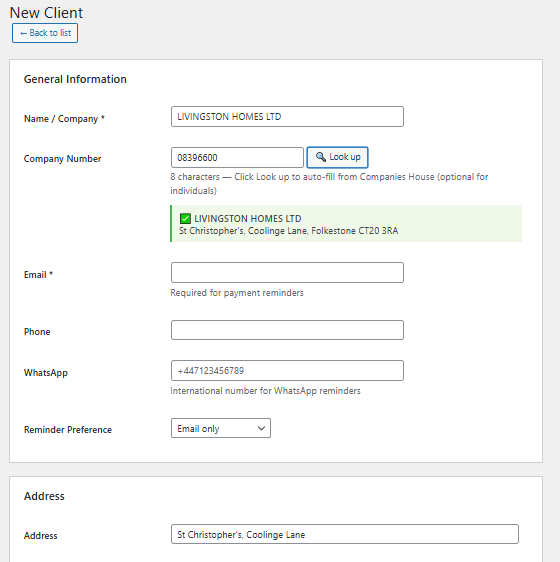
Simply enter the company number and click 🔍 Search. Information is retrieved automatically from the official Companies House register:
- Company name
- Registered address
- Postcode and city
- SIC code
- Company status
📄 Professional Invoicing
📋Invoices, Quotes & Credit Notes
Create professional documents in just a few clicks:
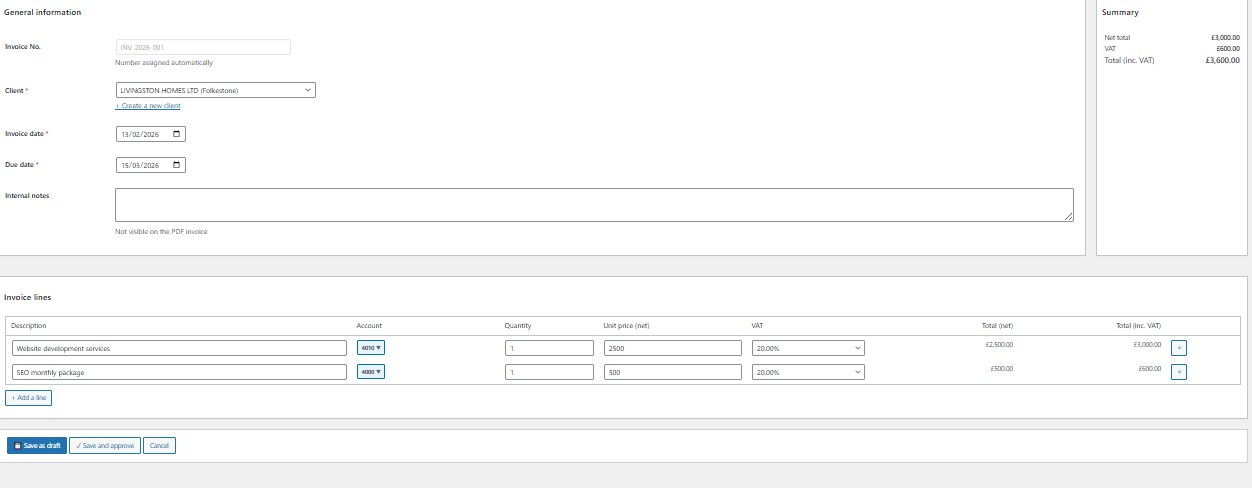
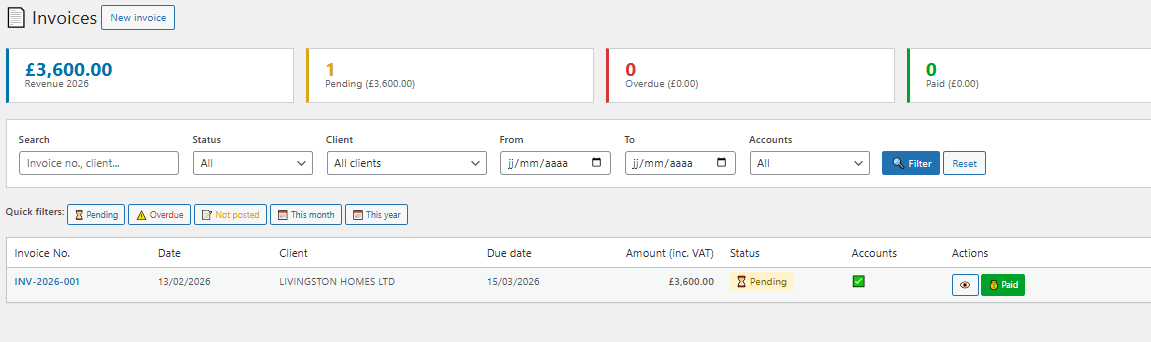
📄 Invoices
Automatic numbering, VAT calculation, professional PDF generation, payment tracking.
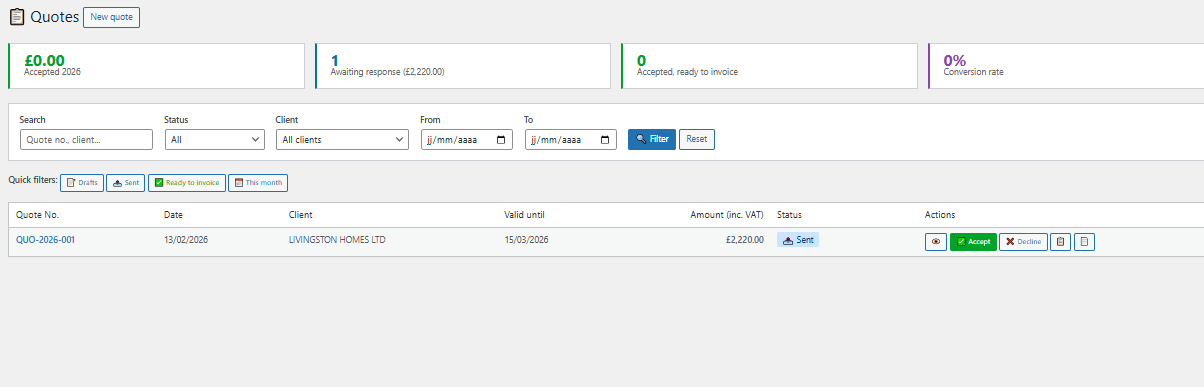
📝 Quotes
Quick creation, configurable validity period, convert to invoice in 1 click.
↩️ Credit Notes
Partial or full credit note on existing invoice, automatic accounting entries generated.
👥 Client Management
Full client records, invoice/quote history, Companies House API for auto-fill.
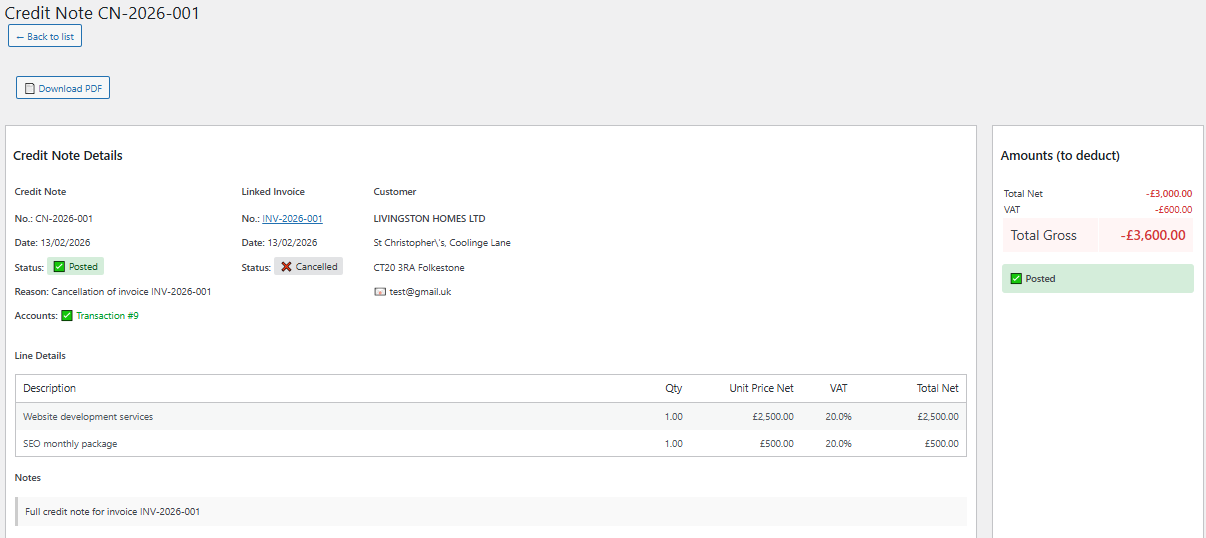
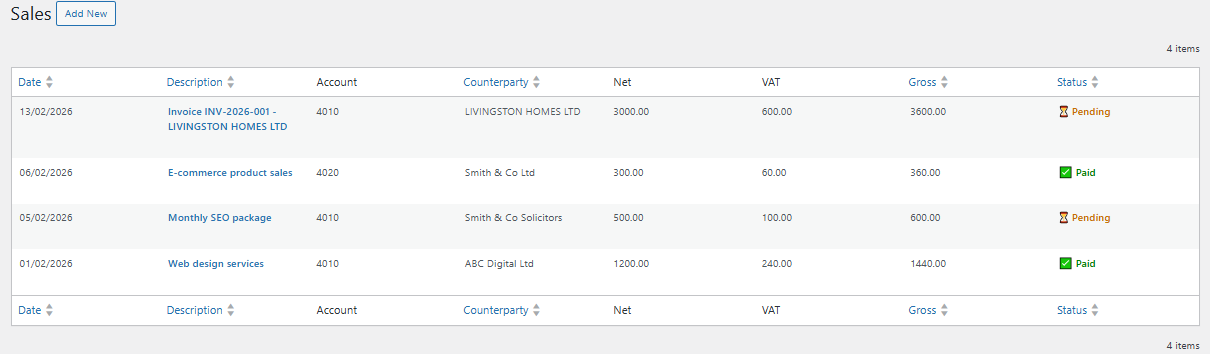
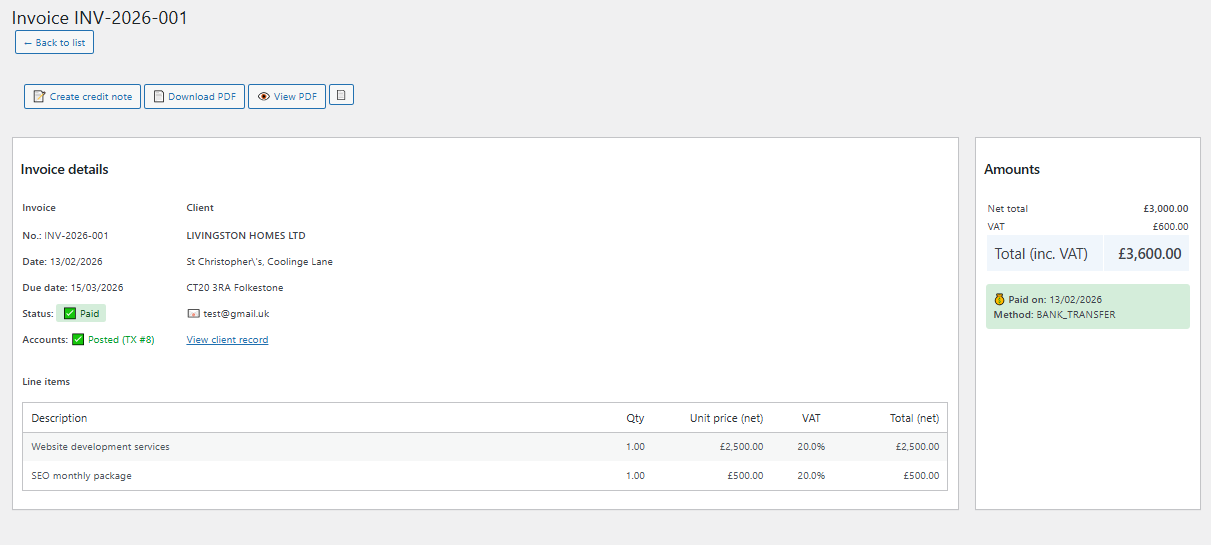
Features included:
- Automatic sequential numbering (INV-2026-001, QUO-2026-001, CN-2026-001)
- Automatic VAT calculation based on configured rates
- PDF generation with logo and legal notices
- Convert Quote → Invoice in 1 click
- Partial (selected lines) or full credit notes
- Accounting entries generated automatically
- Status tracking: Draft, Pending, Paid, Overdue
✨ Core Features
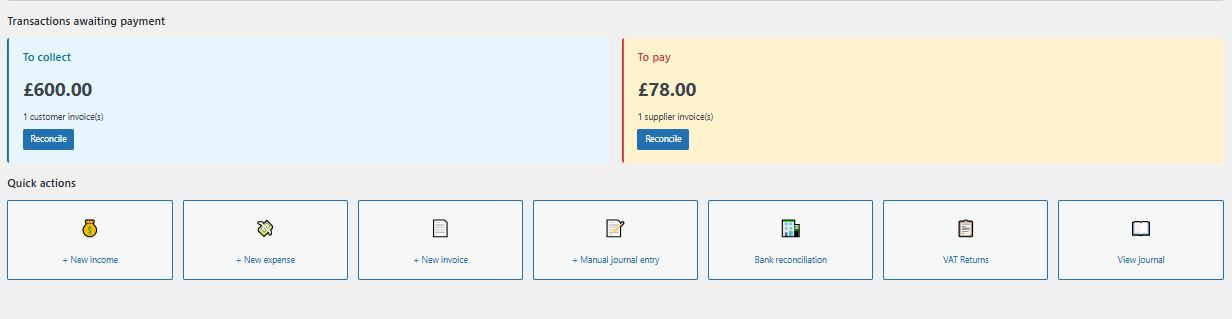
📊Dashboard
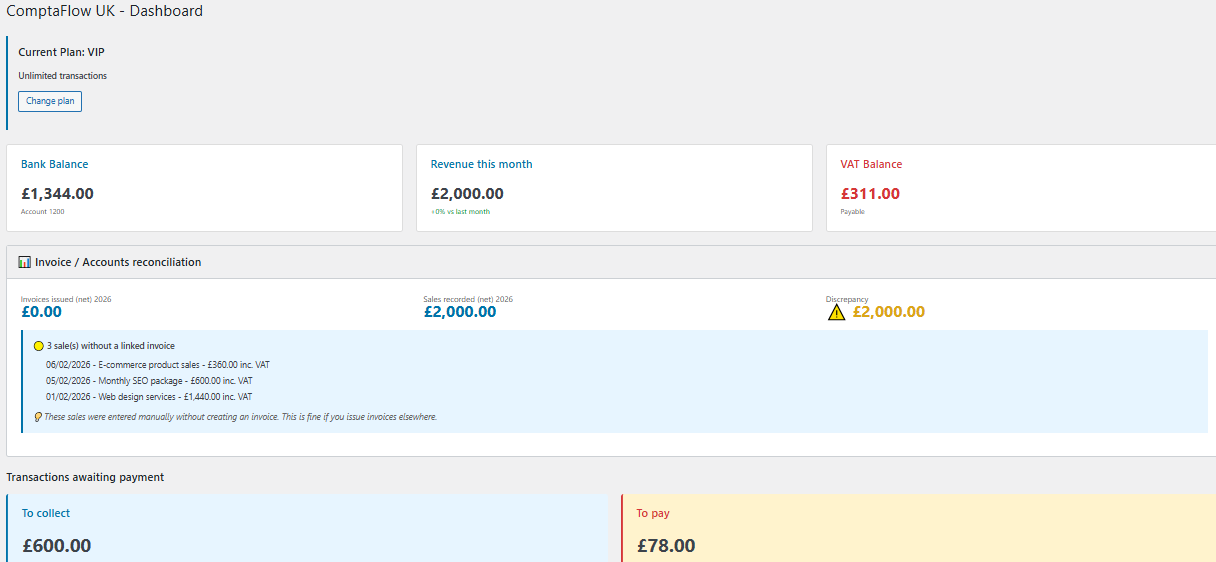
💰Sales Management
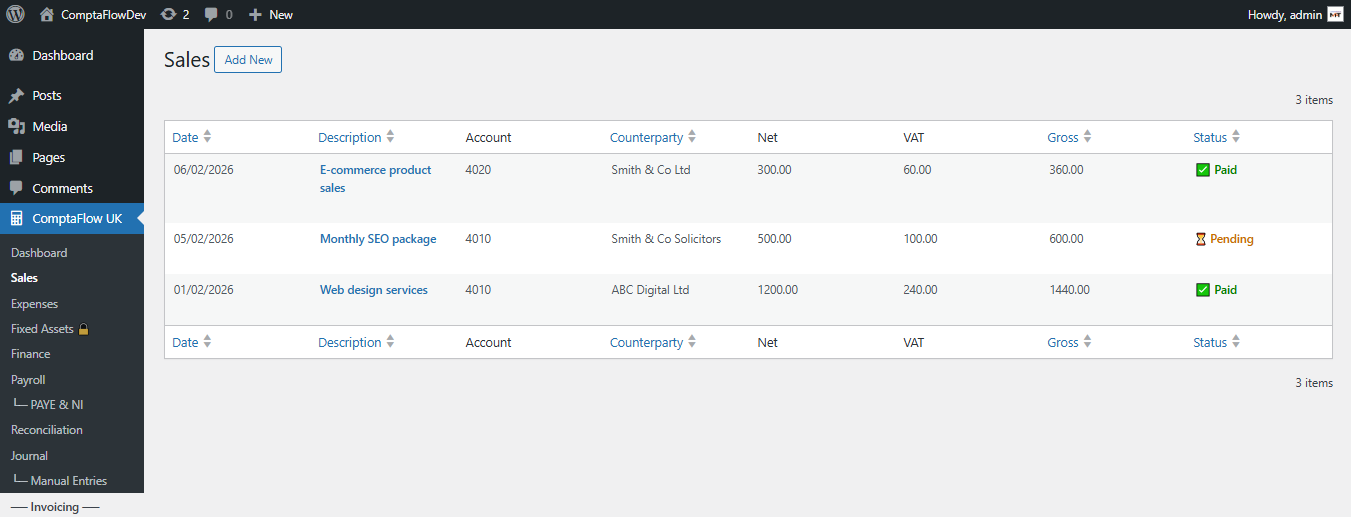
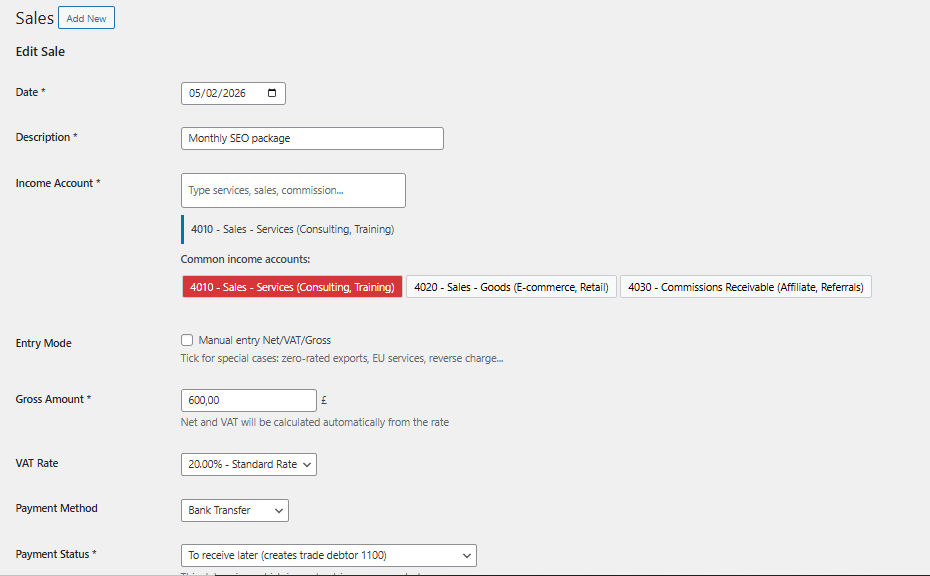
Simplified entry of your income:
- Automatic reference number generation
- Automatic VAT calculation based on selected rate
- UK nominal code compliant accounting entries (Sage/Xero compatible)
- Categorisation by client and sale type
- Attach PDF invoices directly
💸Expense Management
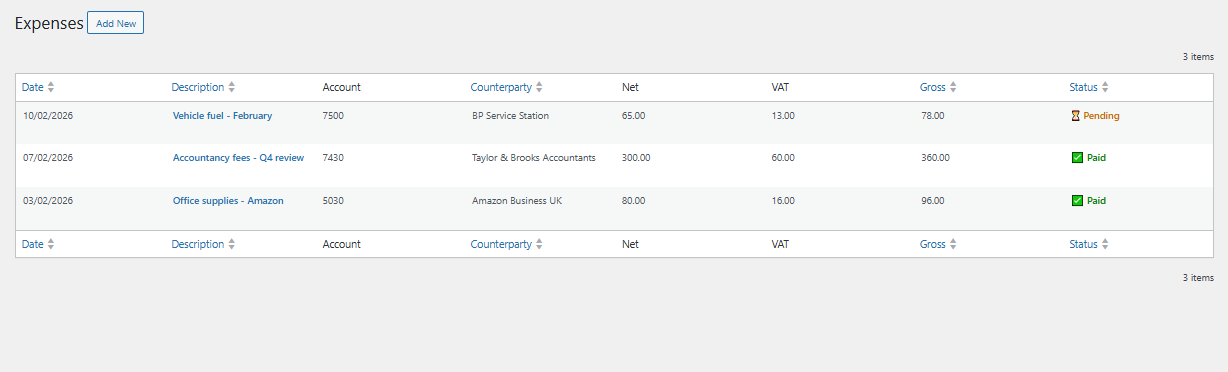
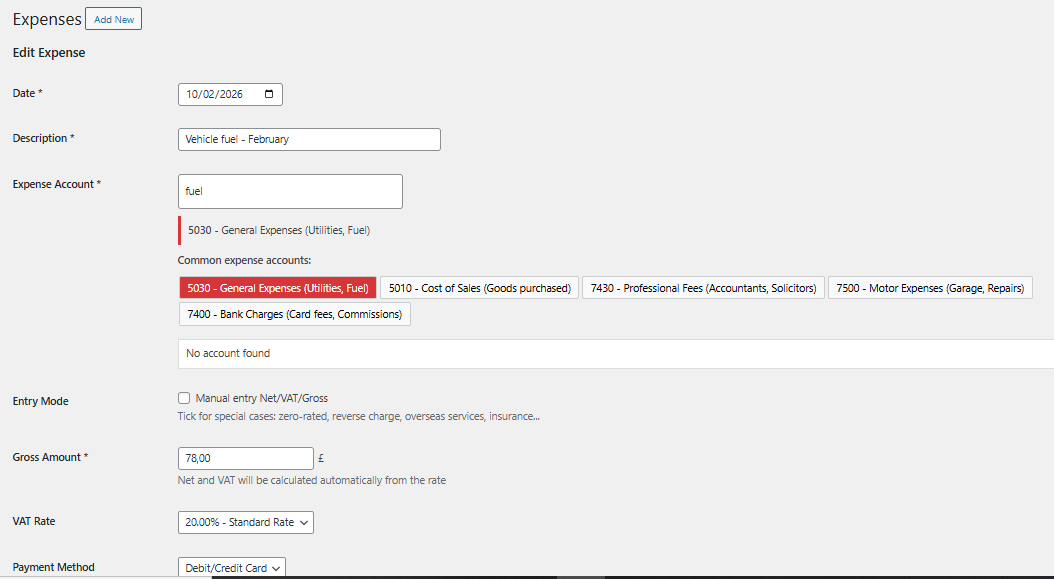
Full tracking of your purchases:
- Quick entry with nominal code suggestions
- Automatic input VAT recovery
- Pre-defined categories (rent, supplies, travel, etc.)
- Import supplier invoices
- Simplified bank reconciliation
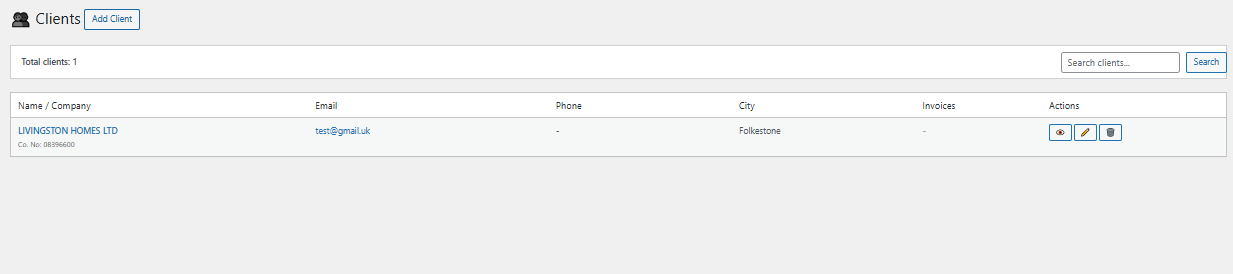
👥Client Management
🏦Bank Reconciliation
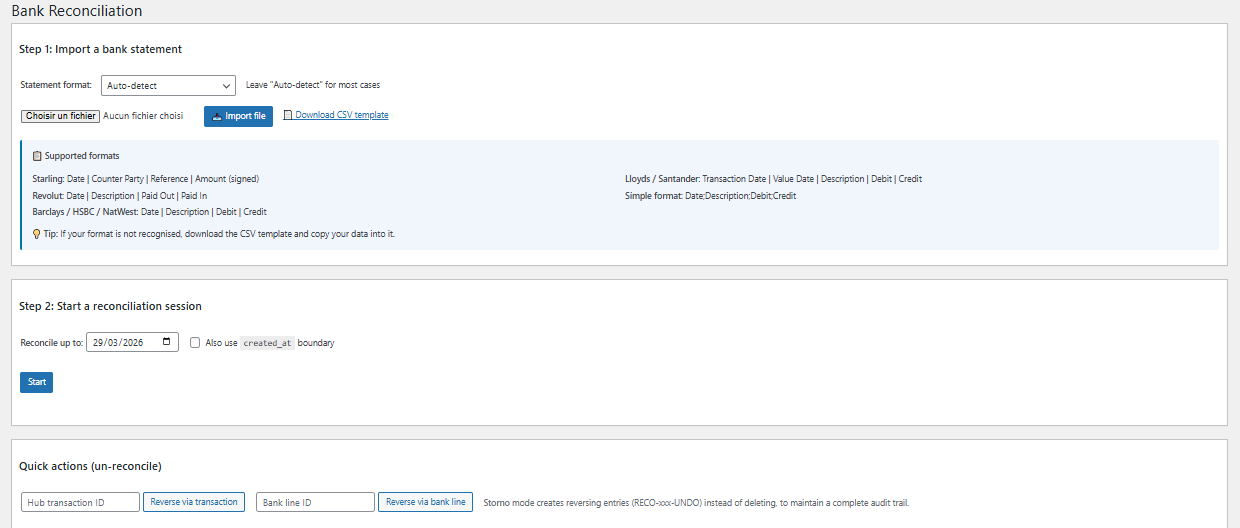
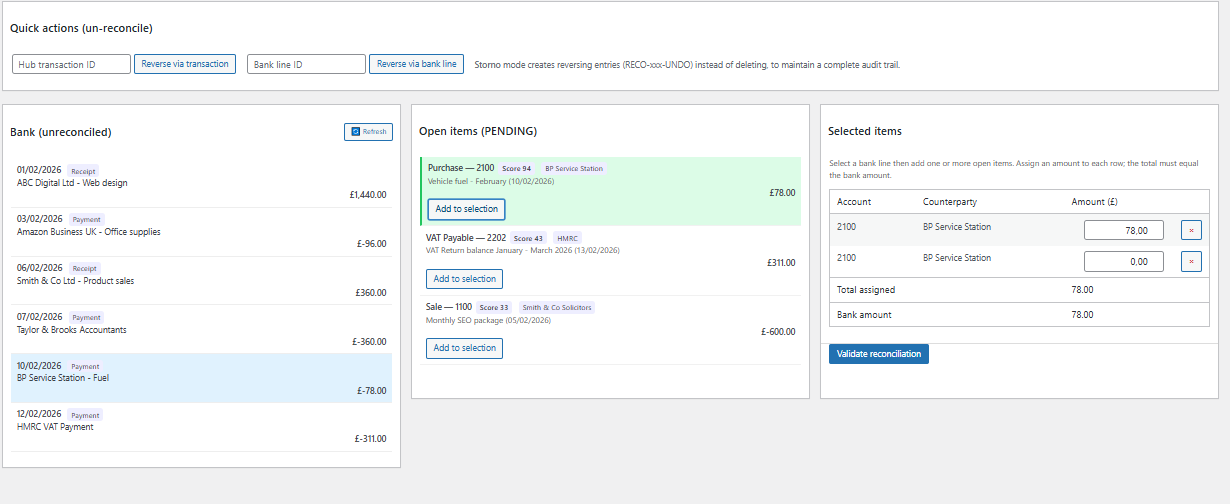
Automatic reconciliation of your transactions:
- Import bank statements (CSV, OFX)
- Automatic matching by amount and date
- Discrepancy detection
- One-click validation
- Real-time bank balance tracking
📊 Payroll
Simplified salary and employer NIC entries (PLUS and VIP plans)
🏭 Fixed Assets
Asset management and automatic depreciation calculations (PLUS and VIP plans)
🔔 Smart Alerts
Notifications for VAT deadlines, returns and payments (PLUS and VIP plans)
👥 Collaboration
Invite your accountant for review and sign-off (VIP plan only)
🏭 Fixed Assets & Depreciation
📋Asset Register
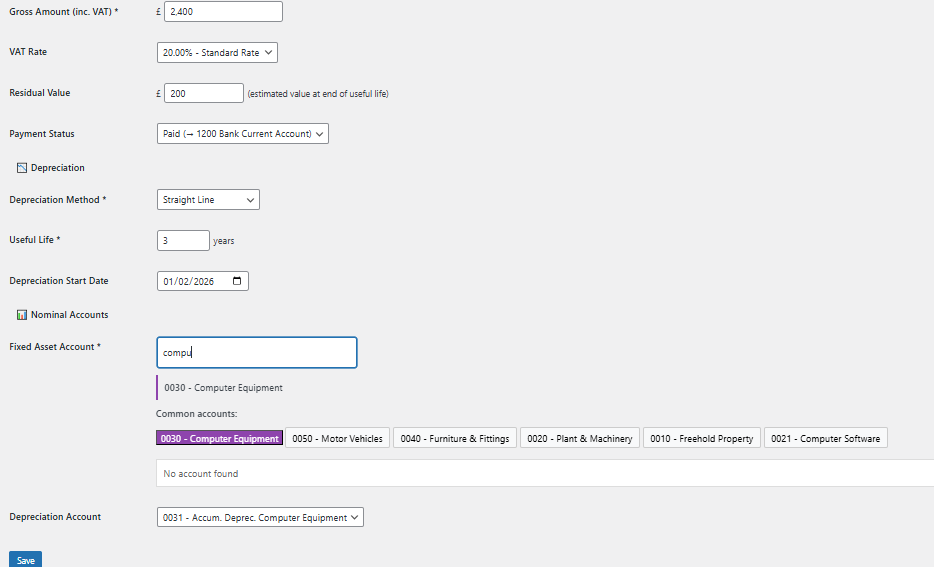
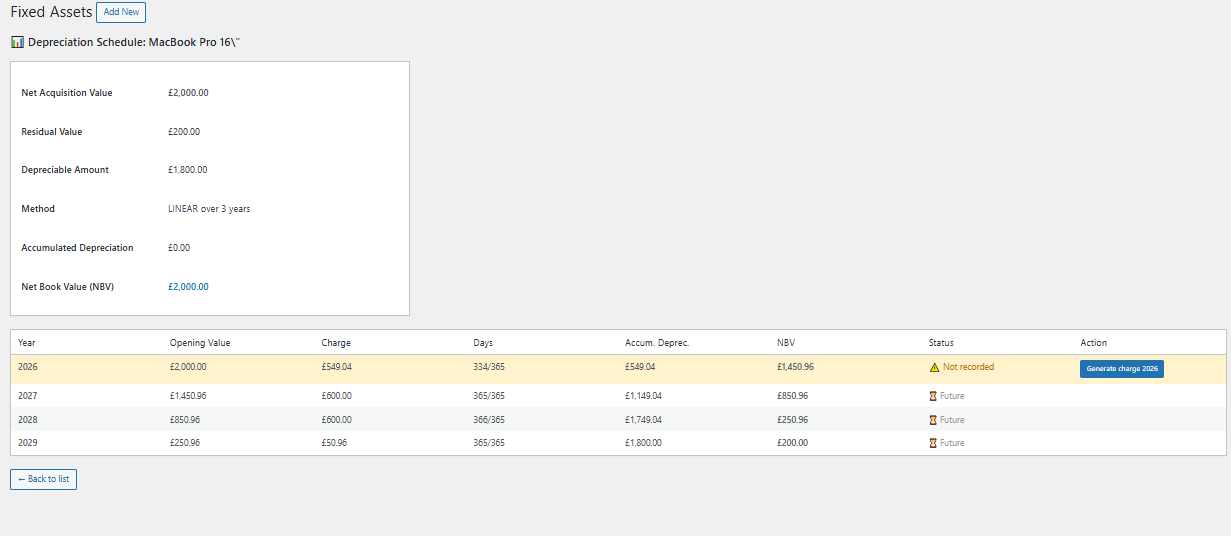
Complete asset management:
- Record assets with purchase date, cost and useful life
- Straight-line and reducing balance depreciation methods
- Automatic annual depreciation calculations
- Accounting entries generated for each period
- Full asset register for year-end reporting

💾 Backup & Restore
📦Protect Your Accounting Data
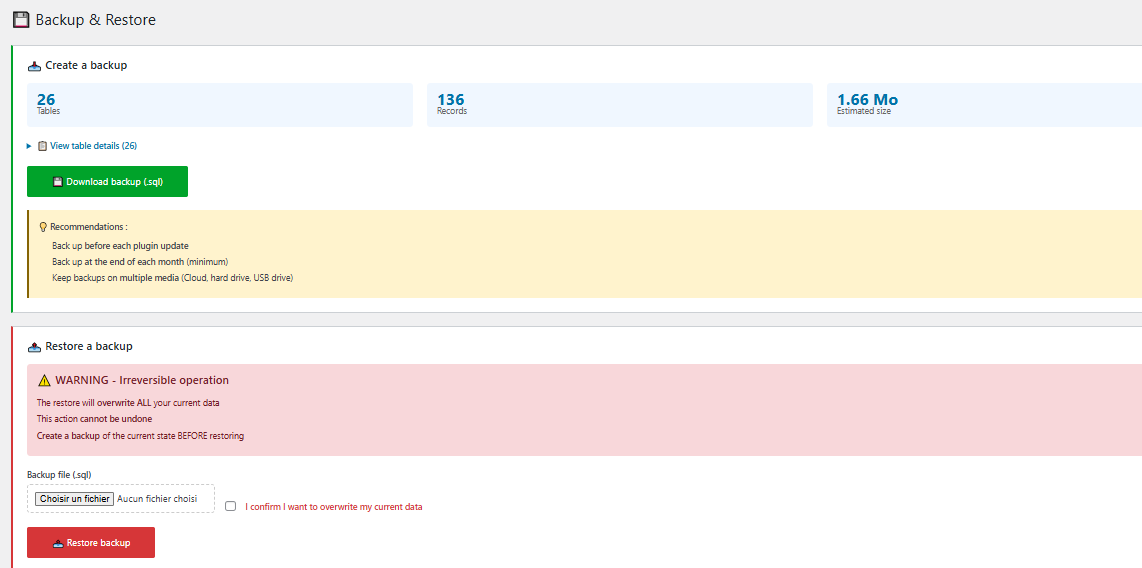
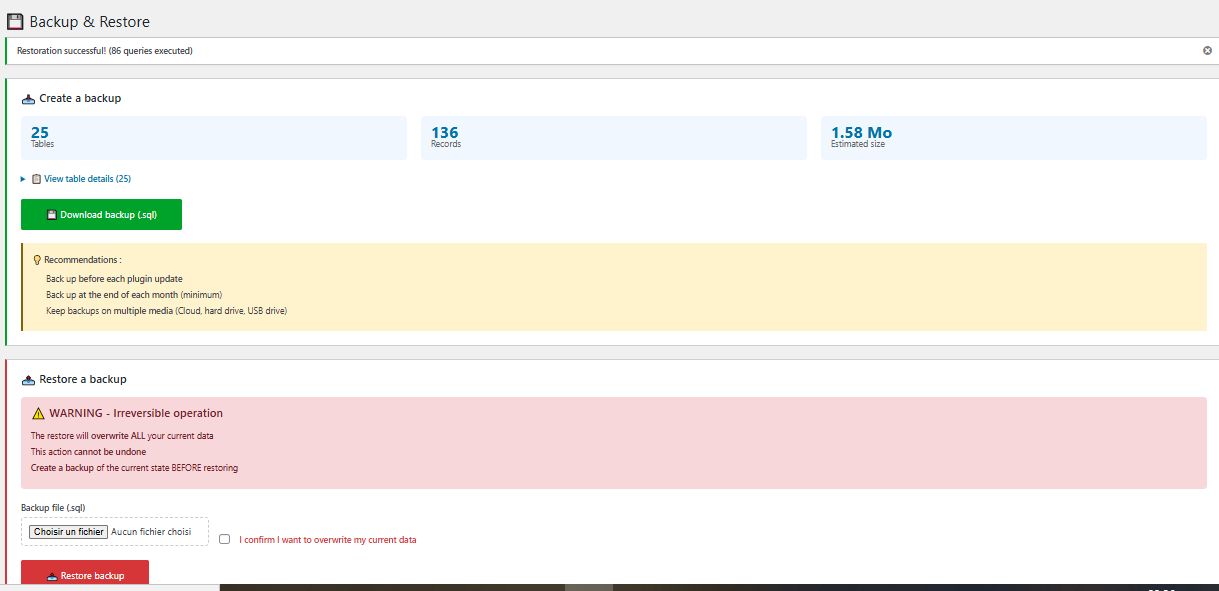
Features:
- Full SQL export: All your tables (accounts, entries, invoices, clients...)
- Statistics: Number of tables, records and estimated size
- Download: .sql file ready to keep safe
- Restore: Re-import your data whenever needed
- Back up before every plugin update
- Back up at minimum every month-end
- Keep your backups on multiple storage media (Cloud, hard drive, USB stick)
🔄Restore
If something goes wrong, restore your data in a few clicks:
Select your .sql file
Choose the backup file you wish to restore.
Confirm the operation
Tick the confirmation box (this action overwrites current data).
Automatic restore
Your data is restored instantly. Check the result in your dashboard.
📤 HMRC-Compliant Exports
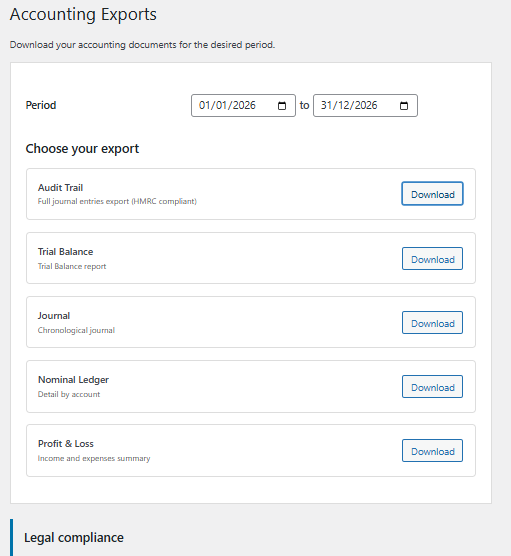
📋Available Documents
| Export | Format | Use | Plan Required |
|---|---|---|---|
| Trial Balance | CSV / PDF | Summary of all account balances | All |
| General Ledger | CSV / PDF | Detail by nominal code | All |
| Journal | CSV / PDF | Chronological list of entries | All |
| Profit & Loss | CSV / PDF | Income vs expenses summary | All |
| Balance Sheet | CSV / PDF | Assets, liabilities and equity | VIP |
🧾 VAT Management
📋Automatic VAT Returns
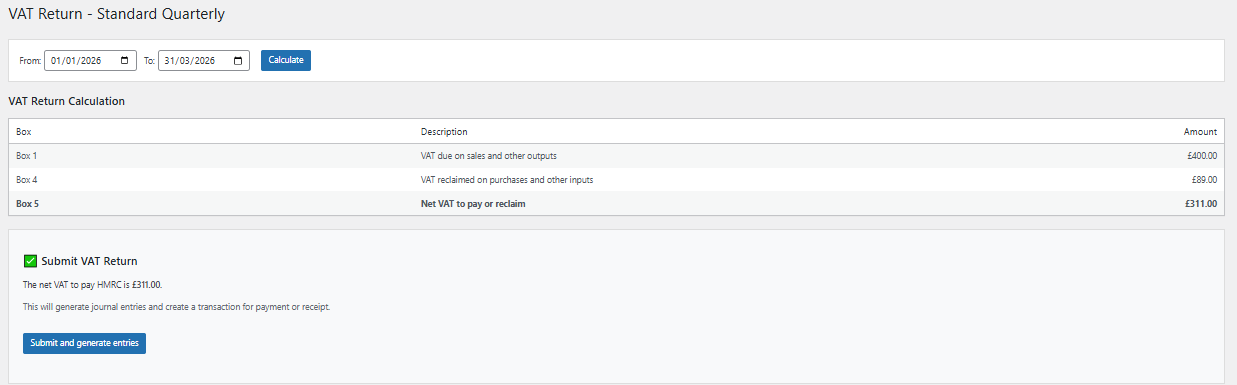
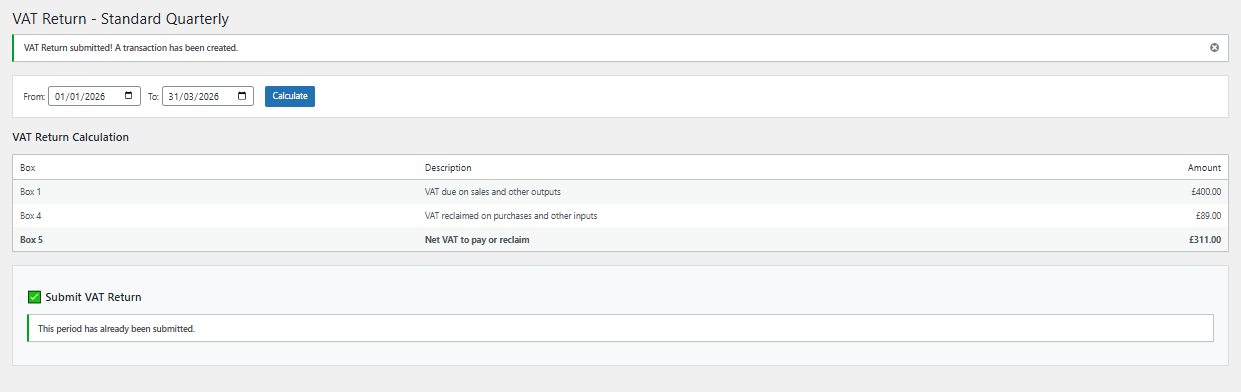
ComptaFlow UK by MeeTempo automatically generates:
- Quarterly VAT Returns: Standard scheme, aligned to your VAT periods
- Annual VAT Returns: For businesses on the annual accounting scheme
- Automatic calculation of output VAT and input VAT
- Support for Standard, Flat Rate and Cash Accounting schemes
- Box-by-box breakdown matching the HMRC VAT Return format
- Alerts before submission deadlines
📊 Year-End Reports
📄Automatic Generation
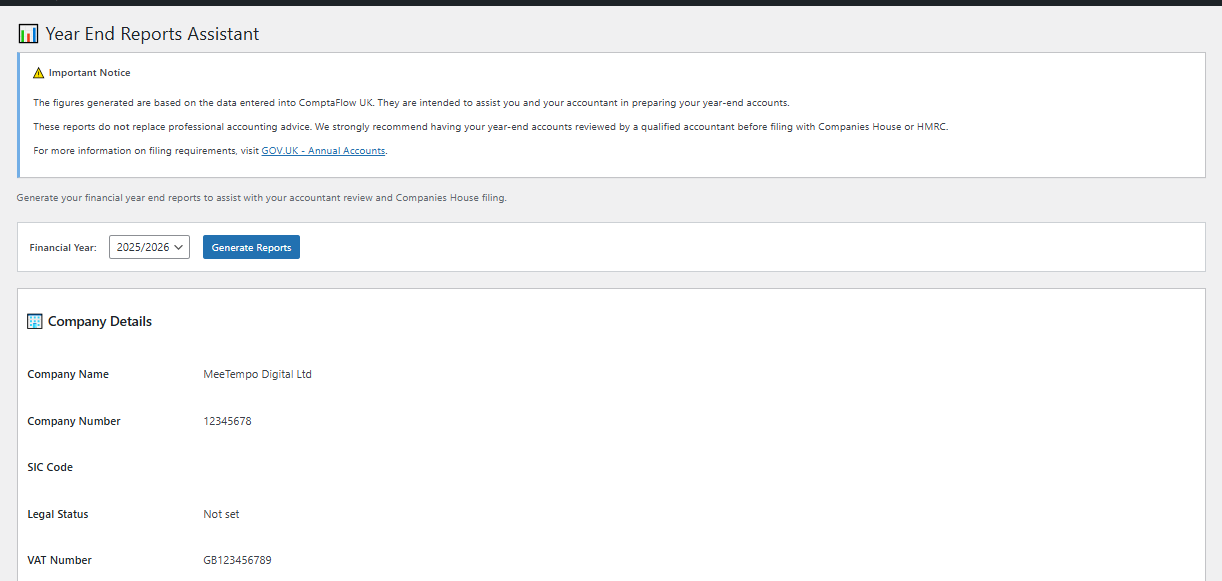
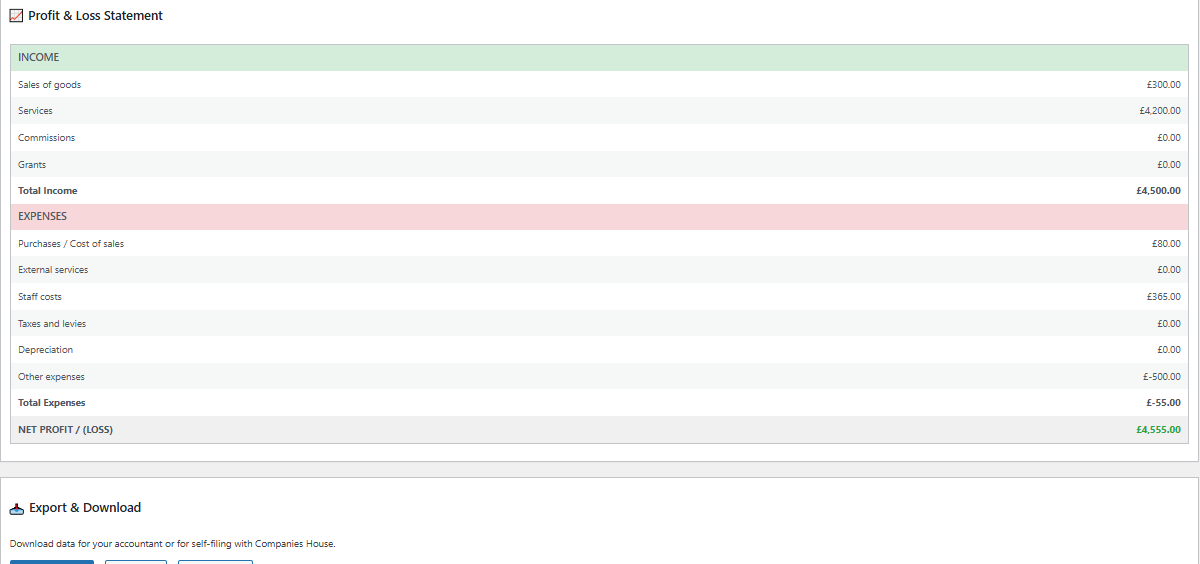
Reports included:
- Balance Sheet: Assets, liabilities and equity at year-end
- Profit & Loss Statement: Income and expenses for the financial year
- Trial Balance: Summary of all account balances
- Depreciation Schedule: Fixed assets and accumulated depreciation
Benefits:
- ✅ Automatic calculations from your bookkeeping data
- ✅ Pre-filled reports ready for your accountant
- ✅ PDF exports ready for submission
- ✅ Save hours of manual preparation
- ✅ Reduce data entry errors
📧 Automatic Client Reminders
⏰Never let unpaid invoices slip through
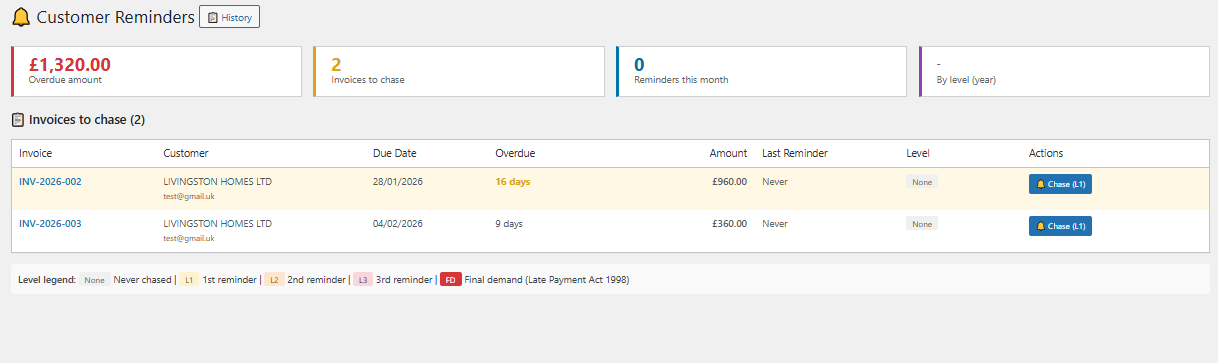
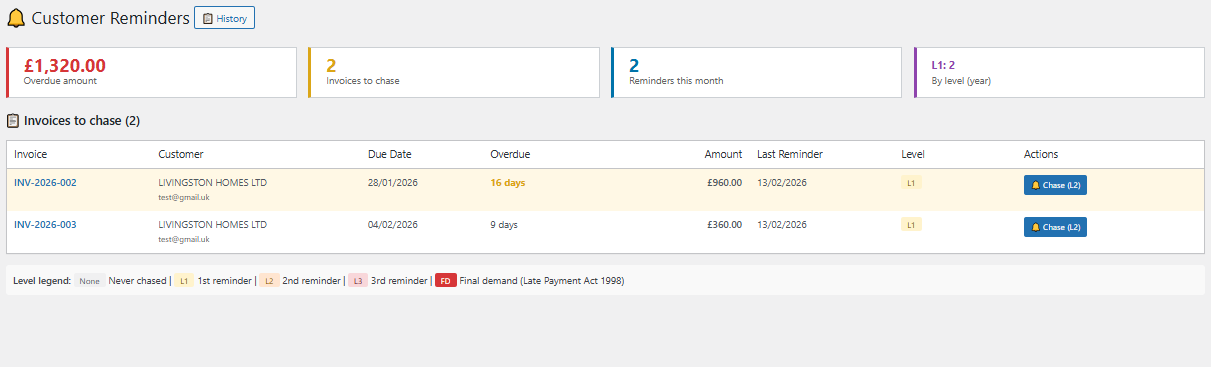
Automate your reminders and get paid faster:
📧 Email Reminders
Customisable templates, automatic sending based on your configured intervals.
📱 WhatsApp Reminders
Pre-filled message with link to invoice PDF, send in 1 click.
⚙️ Flexible Settings
Days before first reminder, interval between reminders, maximum number of reminders.
👤 Client Preference
Each client can have their preference: Email, WhatsApp, or both.
Available template variables:
{client}— Client name{invoice}— Invoice number{amount}— Total amount inc. VAT{due_date}— Due date{company}— Your business name{pdf_link}— Direct link to invoice PDF
🚀 Ready to simplify your bookkeeping?
Discover our plans and choose the right one for your business
View pricing →
❓ Frequently Asked Questions
🔧Installation & Activation
Your licence key is sent automatically by email after purchase (from noreply@meetempo.com). You can also find it by logging in to your customer account: My Account
No, each licence is linked to a single domain name. If you manage multiple sites, you need a separate subscription for each.
Contact our support at support@meetempo.com to deactivate the licence on the old site and activate it on the new one. This can be done once per quarter.
💡Usage
ComptaFlow UK by MeeTempo simplifies your bookkeeping and generates all compliant documents, but does not replace a qualified accountant for final review and official submissions. However, it significantly reduces accountancy fees by automating 80% of the work.
Yes, absolutely. Our exports comply with HMRC record-keeping requirements and Making Tax Digital standards. They use UK nominal codes compatible with Sage, Xero and QuickBooks.
You can import your bank statements (CSV, OFX) for reconciliation. For full import of accounting entries, contact support who will guide you based on your situation.
Go to ComptaFlow UK by MeeTempo → Exports and generate the Trial Balance, General Ledger or Journal. These are standard formats accepted by all UK accountants. You can export in both CSV and PDF formats.
🧾VAT & Returns
PLUS and VIP plans only: Go to ComptaFlow UK by MeeTempo → VAT Returns. The return is pre-filled automatically with your data. Verify the amounts, then submit via HMRC's online services or your MTD-compatible software.
No. ComptaFlow UK prepares your returns (automatic calculations, pre-filling) but does not submit them. You must use HMRC's online services or MTD-compatible software to file.
Select "Not VAT registered" in Settings → VAT Scheme. ComptaFlow UK will not apply VAT to your transactions and you won't need to file VAT Returns.
💳Billing & Subscription
Log in to My Account and click "Manage my subscription". You'll be redirected to the Stripe portal where you can change plans instantly.
Go to My Account → "Manage my subscription" → "Cancel subscription". You keep access until the end of the paid period.
Stripe will automatically retry 3 times over 2 weeks. You'll receive an email alert to update your card. If all attempts fail, your licence will be suspended until payment is resolved.
Contact our support at support@meetempo.com within 14 days of purchase if the plugin doesn't meet your expectations. We comply with the Consumer Contracts Regulations 2013.
🆘Support & Help
Send an email to support@meetempo.com. Response times:
- STANDARD and PLUS plans: within 24 hours (business days)
- VIP plan: within 4 hours (priority support)
Yes, we are progressively creating video tutorials on our YouTube channel. You'll find the links in welcome emails and on your ComptaFlow UK by MeeTempo dashboard homepage.
Not natively yet, but you can export your WooCommerce sales (CSV) and import them into ComptaFlow UK. An automatic integration is planned for a future release.
📧 Need further help?
Our team is here to support you:
- Email: support@meetempo.com
- Response within 24 hours (4 hours for VIP)
- Full documentation and video tutorials