Why Invoice from WordPress?
Most small businesses use separate tools for their website and their invoicing — often paying two subscriptions for two disconnected systems. With ComptaFlow UK, your invoicing lives inside WordPress alongside your bookkeeping. Every invoice you create automatically generates the correct accounting entries, updates your VAT calculations, and appears on your Profit & Loss report.
This means one system, one source of truth, and zero manual re-entry.
Complete Invoicing Workflow
ComptaFlow UK supports the complete sales cycle: create a quote, convert it to an invoice in one click when accepted, track payment status, and issue credit notes if needed. Every step creates proper accounting entries automatically.
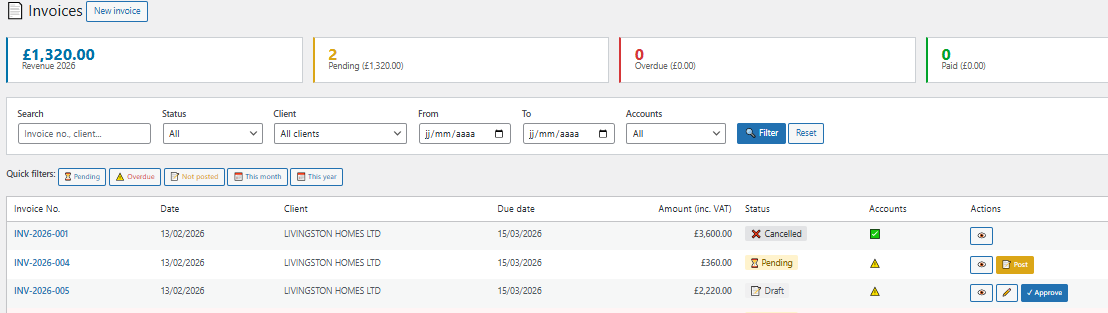
Convert a quote to an invoice in one click — all details carry over automatically
Invoicing Features
🧾 Professional Invoices
Clean, professional PDF invoices with your business details, client information, line items, VAT breakdown, and payment terms. Ready to email.
📋 Quotes & Estimates
Create quotes with the same professional layout. When accepted, convert to invoice in one click — no re-typing required.
↩️ Credit Notes
Issue credit notes against invoices for refunds or corrections. Proper accounting entries are created automatically, including VAT adjustments.
🔢 Auto-Numbering
Sequential invoice numbering (INV-001, INV-002...) generated automatically. Customisable prefix. Quotes and credit notes have their own sequences.
📄 PDF Generation
One-click PDF generation for every invoice, quote, and credit note. Professional layout with your company details, logo space, and payment information.
💰 Payment Tracking
Track payment status: Draft, Sent, Overdue, Paid. Mark invoices as paid with one click. Automatic accounting entry for the payment.
⏰ Payment Reminders
See overdue invoices at a glance. Track which clients have been chased and when. Never lose track of unpaid invoices.
👥 Client Management
Save client details once and reuse across invoices. Auto-fill from Companies House API. View client history and outstanding balances.
Creating an Invoice
Creating an invoice in ComptaFlow UK takes just a few clicks:
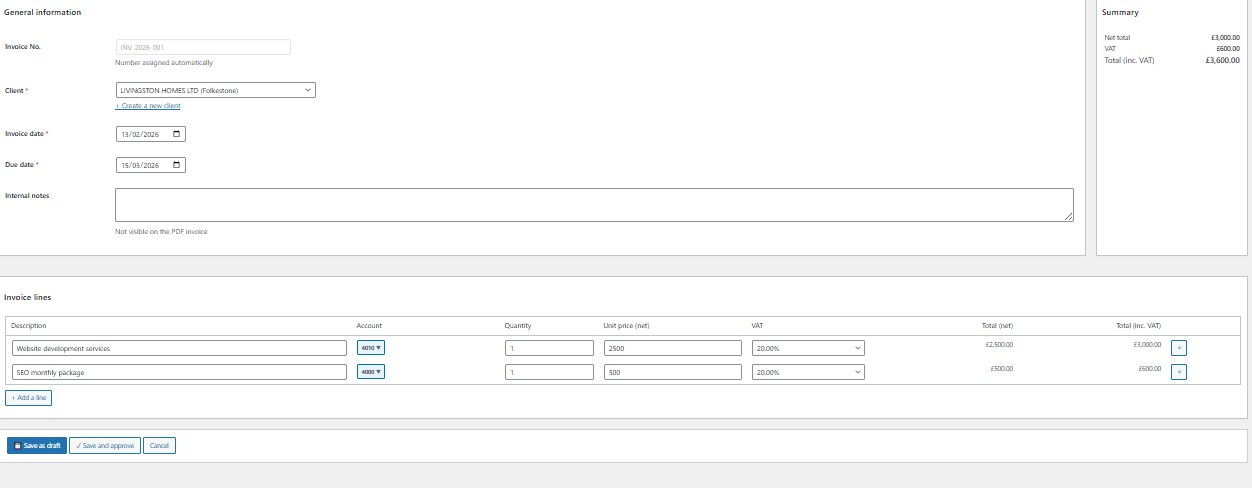
Simple invoice form — select client, add line items, the plugin handles the rest
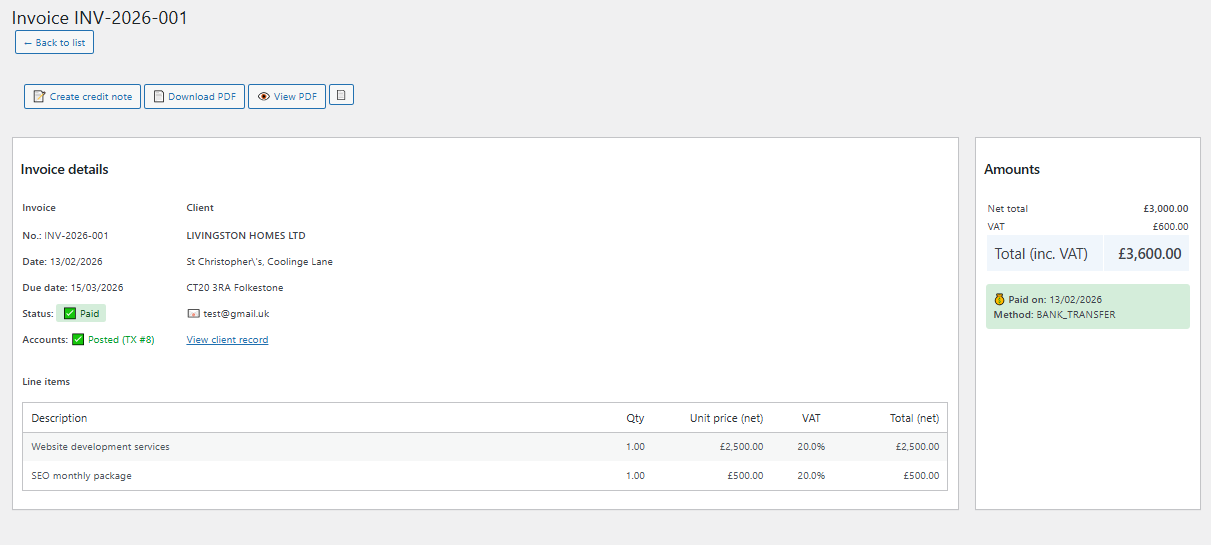
Professional PDF invoice — ready to download and send to your client
UK Invoice Requirements
HMRC requires VAT invoices to include specific information. ComptaFlow UK ensures every invoice meets these requirements:
- A unique, sequential invoice number
- Your business name and address
- Your VAT registration number (if applicable)
- The client's name and address
- Invoice date and tax point
- Description of goods or services supplied
- The net amount, VAT rate, VAT amount, and gross total
- Payment terms and due date
Credit Notes & Corrections
Need to issue a refund or correct an invoice? ComptaFlow UK's credit note system creates proper accounting entries that reverse the original invoice — including the VAT. Your books stay accurate and HMRC-compliant.
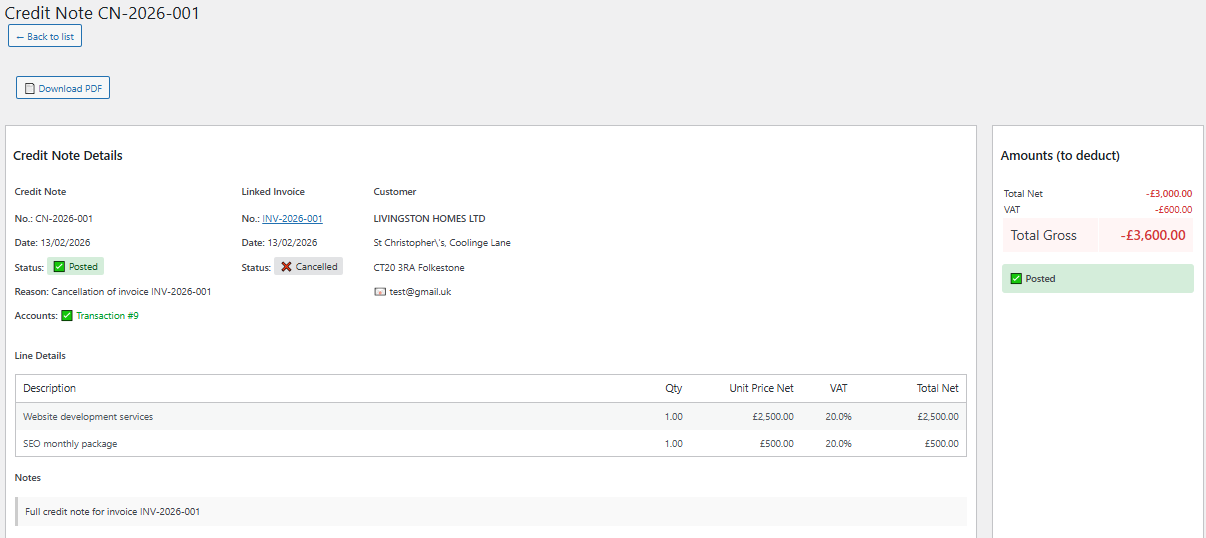
Credit note posted — proper accounting entries created automatically
Payment Reminders & Chasing
Late payments are a headache for every small business. ComptaFlow UK's reminder system helps you stay on top of outstanding invoices:
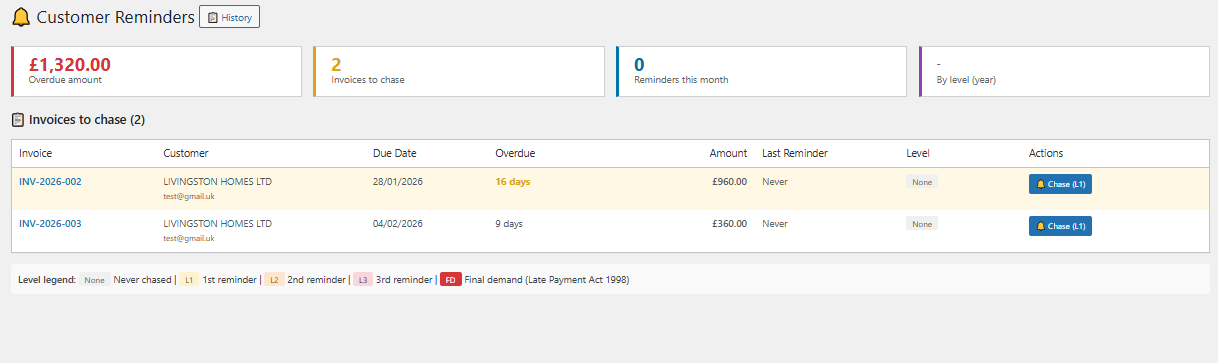
See all overdue invoices at a glance — with days overdue and total outstanding
Start Invoicing from WordPress Today
Professional invoicing is included in all Pro plans. From £9.99/month with a 30-day free trial. No credit card required.